Connect an account and stop importing
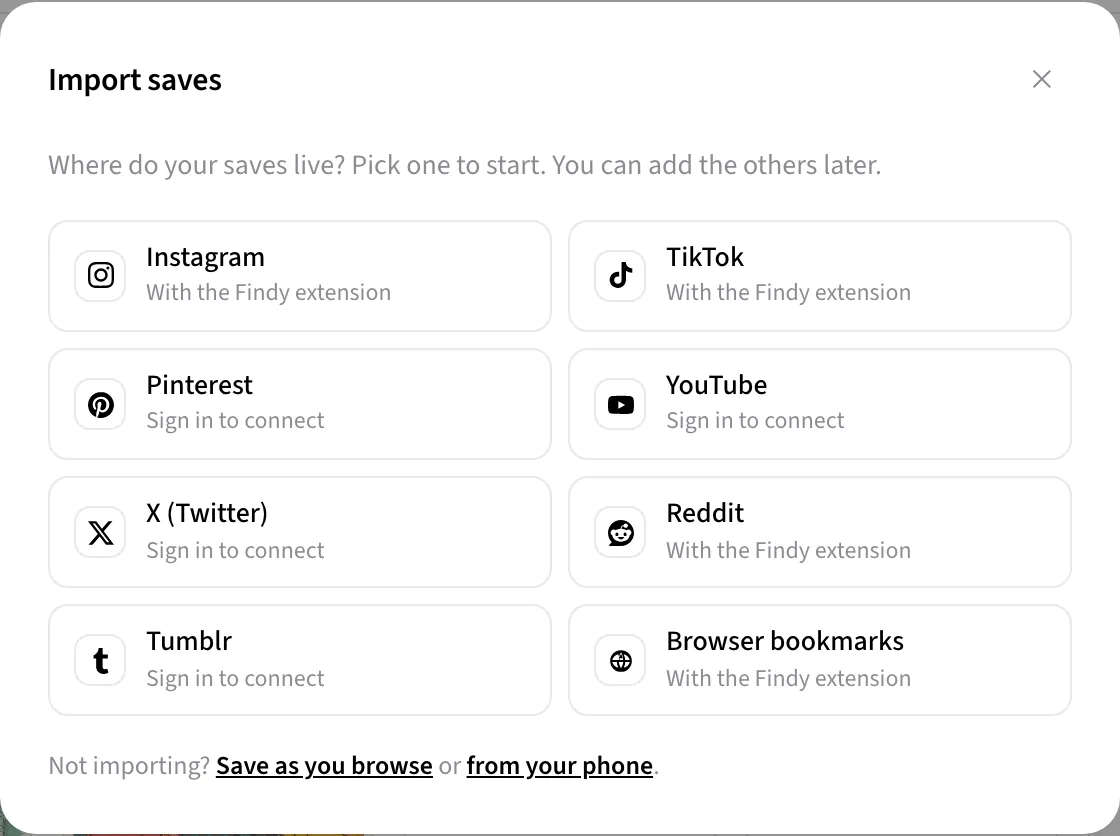
Four platforms offer a real API for your own saves. Connect one and new saves arrive on their own — no extension, no import button, nothing to remember.
What can be connected
- Pinterest — your boards and the pins on them.
- YouTube — liked videos and playlists.
- Tumblr — your likes.
- X / Twitter — your bookmarks.
Instagram, TikTok and Reddit are not on this list, and not by accident — none of them offers an API that will hand you your own saved items. Those are imported through the extension instead, in your own browser session. That is covered on their own pages: Instagram, TikTok, Reddit.
Connecting
Open Import saves in the app.
-
Choose Pinterest, YouTube, Tumblr or X and click Connect. You are sent to that platform's own sign-in page to approve access.
-
Your existing saves backfill immediately. After that, new ones arrive in the background every few hours.
When a connection needs reconnecting
Tokens expire, and platforms invalidate them when you change your password or review your connected apps. When that happens Account → Connected accounts says so and offers a reconnect — nothing is lost in the meantime, new saves just pause until you do.
Availability
Connected accounts are a Pro feature. Bulk import through the extension — Instagram, TikTok, Reddit and browser bookmarks — works on every plan, including free.
Next: Search by meaning · All manual pages