Bring the backlog over
Bulk import Instagram Saved, TikTok Favourites and Reddit Saved in one run — your whole collection, not one link at a time.
For people with years of saves and no way to search them
Pull 1,000s of scattered bookmarks into one library — then search by meaning, not just keywords.
Start your free trialFree for 7 days. No credit card required.
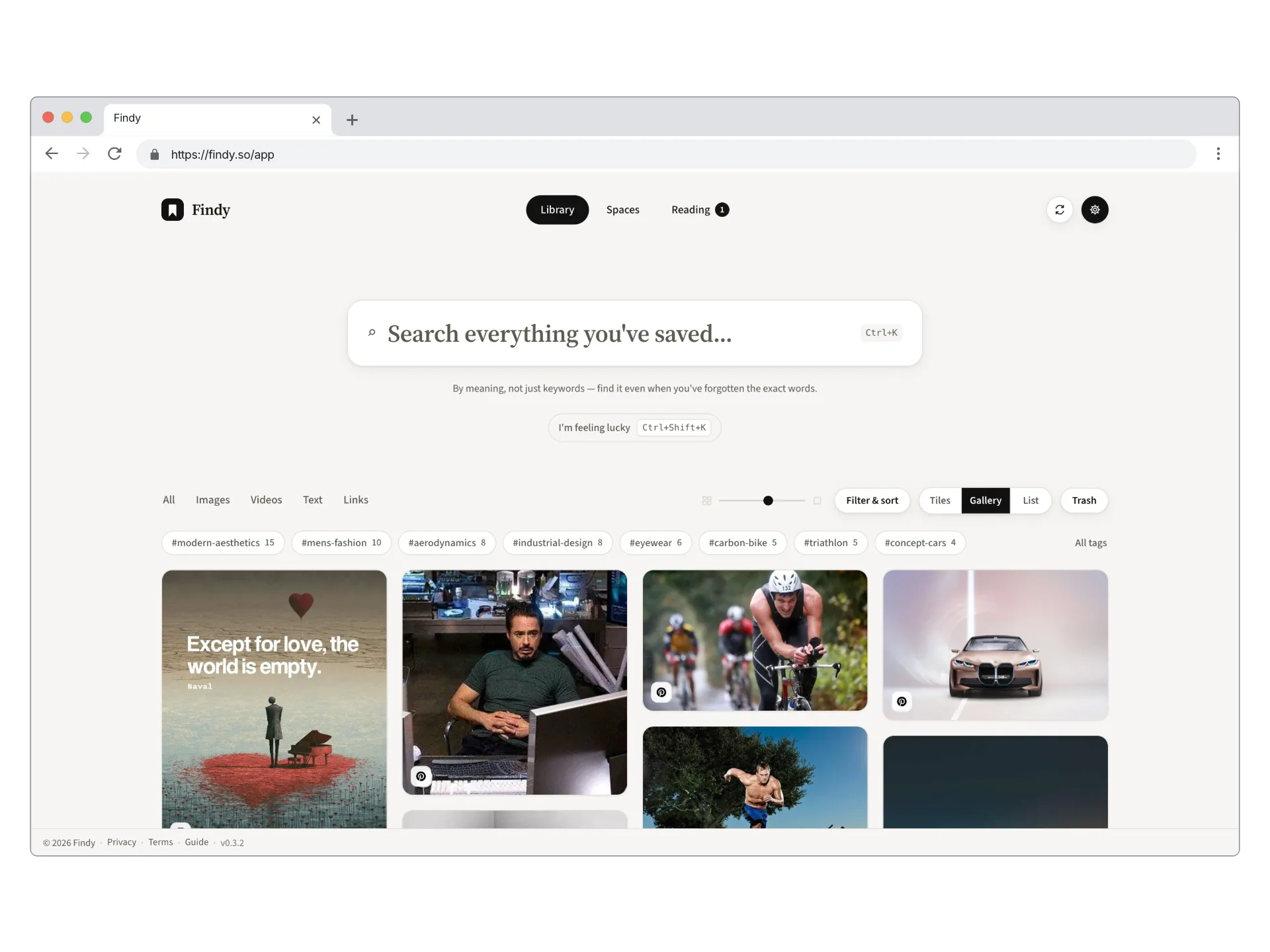
Search
Bookmarks pile up across Instagram, TikTok, Reddit, Pinterest, browsers bookmarks, and many other places — none of them are searchable the way you want.
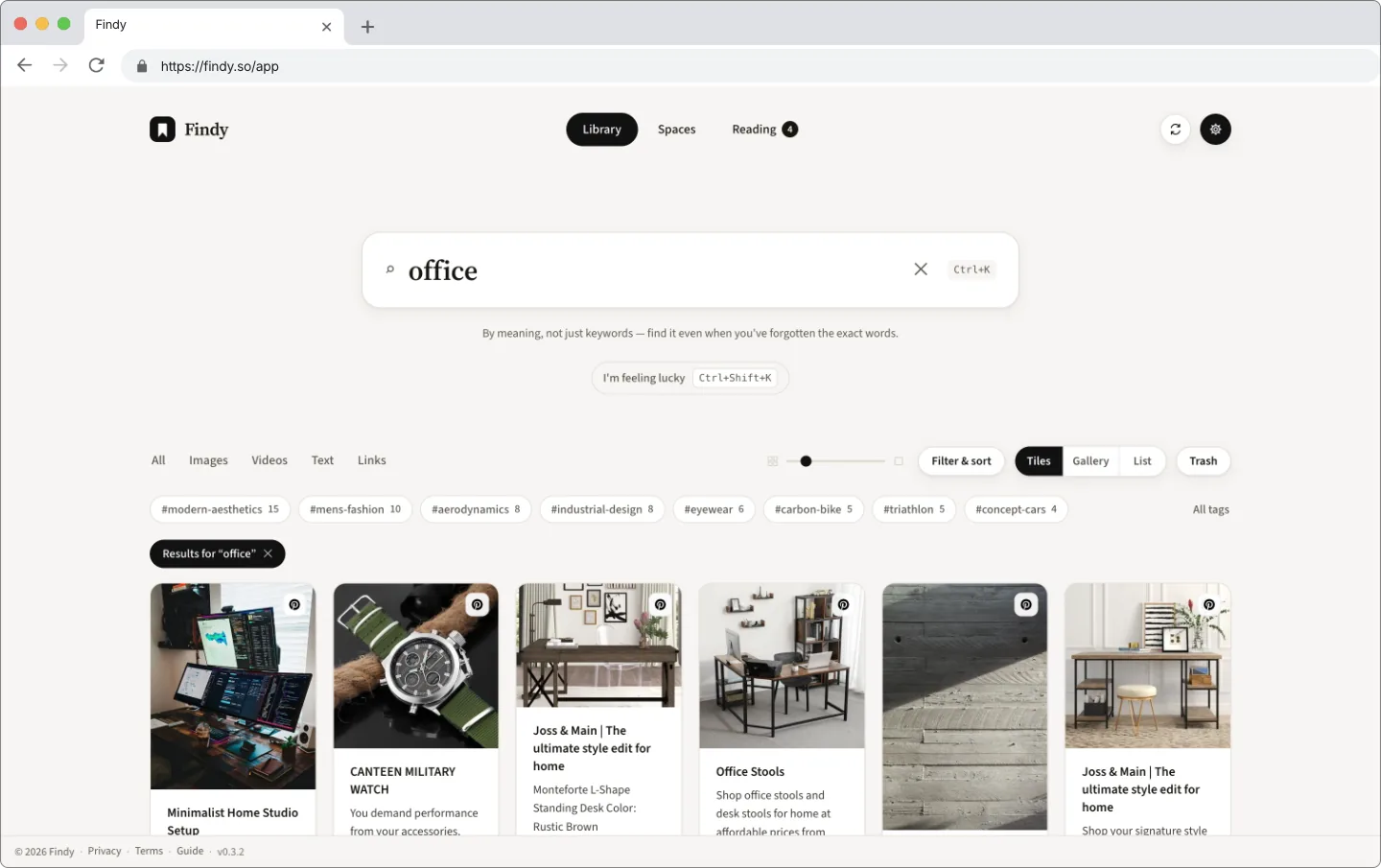
Findy doesn't just search text because we know most of what you saved included images. Findy searches the way you remember things, inside the text and images of your bookmarks.
Start your free trial No credit card needed.
Bulk import Instagram Saved, TikTok Favourites and Reddit Saved in one run — your whole collection, not one link at a time.
“That pasta reel.” “The cabin in Norway.” Findy reads captions, images and archived page content, so it finds the save even when those words were never written down.
Findy reads every image you save — what it shows, and any words in it. Search for the thing you remember seeing.
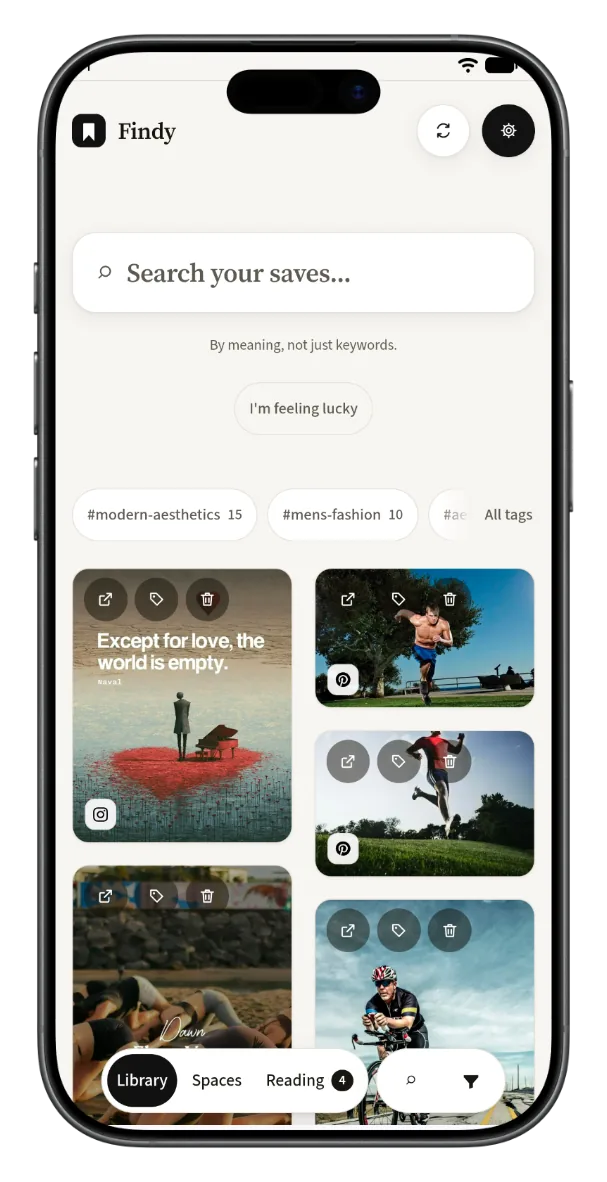
On your phone
On Android, open Findy in Chrome, then use Account → Install Findy web app to put it on your home screen. On iPhone or iPad, open it in Safari, tap Share, then Add to Home Screen.
Same library and search on both. On Android you can already share a link or post from any app to save straight into Findy; a native iOS app is on the way so share-to-save works there too.
What keeps thousands of saves worth opening.
Link Pinterest, YouTube, Tumblr or X once. New saves arrive on their own — nothing to remember, nothing to re-import.
Findy keeps the text and a copy of the image. When the original is deleted or goes private, your card still works.
Rule-driven collections, not folders — give one a tag, platform or search and matching saves keep landing there.
⌘K jumps straight to search; press ? to see every shortcut.
Chrome extension on desktop; share into Findy from any app on your phone.
Shuffle and I’m Feeling Lucky pull forgotten saves back up.
Connect with official sign-in where the platform allows it. Everywhere else, the extension reads your own logged-in browser session. Findy never asks for a password. Read the manual →
Sign in and new saves keep arriving on their own. Included in your membership.
One click reads your own saved collection. Included.
Start your free trial No credit card needed.
Unlimited saves, search and connected accounts. Start with a 7-day free trial — no card required.
Everything you’ve saved, in one searchable place.
Free for 7 days, no card. Then $6/month or $59/year. Cancel any time — your library stays put and nothing is ever deleted.
No — never. Instagram, TikTok and Reddit are imported by the extension, in your own browser, in the session where you’re already signed in. Pinterest, YouTube, Tumblr and X connect through their official sign-in, which you can revoke from their side at any time. Findy never sees a password for any of them.
Bulk import with the Chrome extension works for Instagram Saved, TikTok Favourites, Reddit Saved and browser bookmarks. You can also connect Pinterest, YouTube, Tumblr and X so new saves arrive on their own. From a computer you can save any page or link with the extension; on a phone you can share into Findy from other apps.
You need it for Instagram, TikTok, Reddit and browser-bookmark import, and for saving pages while you browse on a computer. Connected accounts (Pinterest, YouTube, Tumblr, X) sync without the extension. Searching and browsing your library work in the web app alone.
You don’t need the exact title or keyword. Describe what you remember and Findy looks across captions, archived page text, and a description of every image you saved — including any text it could read inside the picture. For an image-only save, that description is often the only text there is.
Yes. On Android, open Findy in Chrome and use Account → Install Findy web app. On iPhone or iPad, open it in Safari, tap Share, then Add to Home Screen. You get the same library and search. On Android you can already share a link from any app into Findy; a native iOS app is on the way for share-to-save there too.
Yes — 7 days, no card required. You get the whole product: unlimited saves and imports, full-text plus meaning-based search, the Chrome extension, the web app on your phone, and connected accounts. After the trial it’s $6/month or $59/year.
Your library is safe and waiting — nothing is ever deleted. Subscribe to keep full access and you pick up exactly where you left off. If you don’t, everything stays stored, ready for whenever you come back.
A Space is a rule, not a folder. Give it a tag, a platform or a search, and every matching save lands there — including ones you add later. Spaces are included in your membership.
Findy archives the text and caches the thumbnail when you save. If the original post dies, your card keeps its picture and stays searchable.
Yes, from inside your account in two clicks — no email, no chat with support. You keep full access until the end of the period you’ve already paid for, and you can change your mind before then.
Yes. Email [email protected] to request an export or deletion of your personal data. We’ll handle it under the rights described in the privacy policy.
Findy
Import the backlog. Search by meaning. Give every scattered bookmark one home you’ll actually look in.
Start your free trialNo credit card needed.