How to export your TikTok favourites
TikTok will hand over your data if you ask. What it hands over is a text file of links — which is not the same thing as keeping what you saved.
What TikTok's data download contains
Under Settings and privacy → Account → Download your data you can request a copy of your account, as JSON or TXT. It takes a few days to prepare. TikTok moves these menus around fairly often, so if the wording has changed, look for "Download your data" under account settings.
Your Favourites arrive as a list of video URLs with timestamps. No videos, no thumbnails, no captions — and crucially, no record of why you saved any of it.
Moving Favourites into Findy
Findy reads your Favourites the way the TikTok web app reads them: one request, in the tab you are already signed into, when you click a button. Nothing scrolls the page on your behalf.
-
Install the Findy extension for Chrome and sign in. The install link is in Findy under Account → Browser extension.
-
Open your own TikTok profile in the same browser and switch to the Favourites tab. It has to be your profile — Favourites are private, and Findy can only read what your own session can already see.
-
Click Import in the bar at the bottom of the page.

-
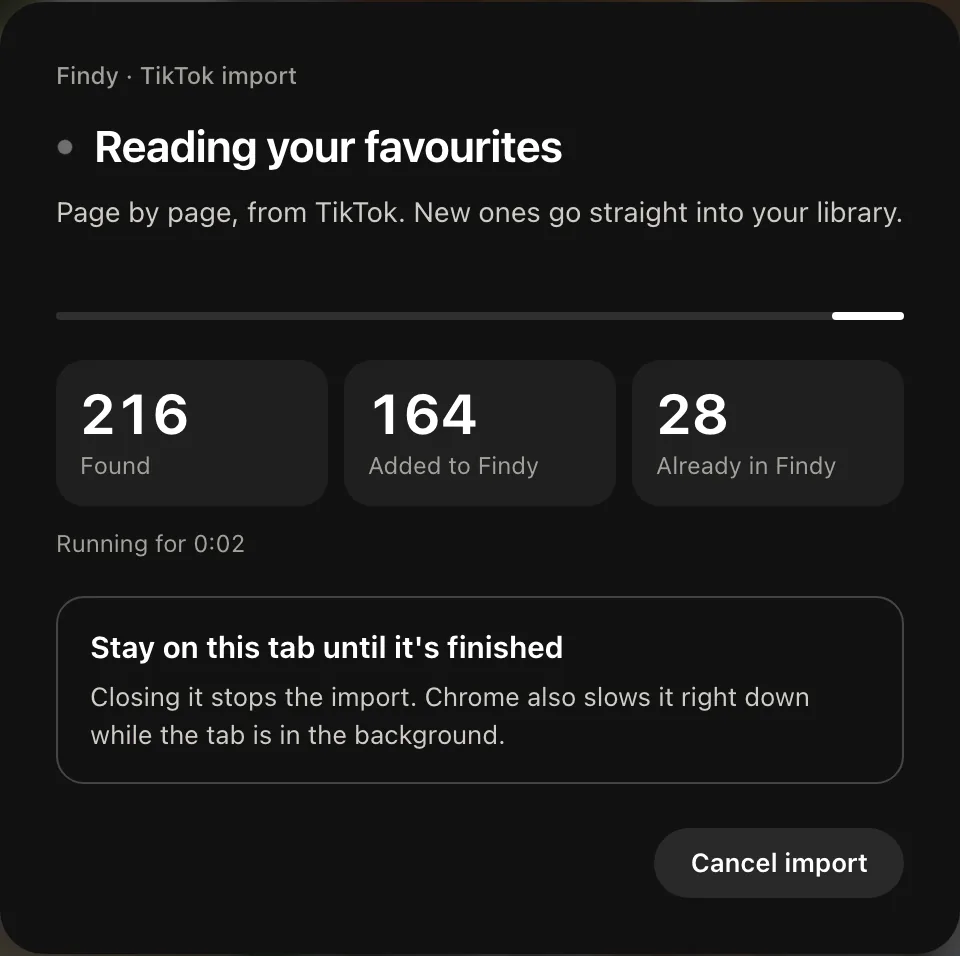
Leave the tab open while batches are relayed. A panel over the page shows what it is doing and the counts as they climb; it asks you to stay on the tab, because closing it stops the import. Progress also appears under Account → Import history.
What you end up with
Each video becomes a card with its thumbnail, the caption, and the creator's handle — cached, so the card still works after the original comes down. That is the part the official export cannot give you: a record that outlives the post.
Why not just use a downloader?
Plenty of tools will bulk-download the videos themselves. If your goal is to keep the files, use one — that is a different job from this one. Findy keeps the reference: what it was, who made it, what it said, and enough of the image to recognise it, so you can find it again among everything else you have ever saved.
Downloading someone's video also puts you in a different position on copyright than keeping a link and a thumbnail does. Worth knowing before you bulk-download a few thousand of them.
Next: Export your Reddit saved posts · Export your Instagram saved posts · All manual pages