How to export your Reddit saved posts
Reddit's saved list is not permanent storage. It holds roughly your most recent thousand items and quietly drops what falls off the end — no warning, no notification.
The cap almost nobody knows about
Reddit's saved listing is paginated like any other listing, and it stops at about 1,000 items. Save a thousand and one things, and the oldest ones stop being reachable through your saved page. They are not "deleted" in a dramatic sense — you simply cannot get back to them, which amounts to the same thing.
If you have been saving to Reddit for years, some of what you think you have is already gone. Anything you can still see is worth getting out now rather than later.
What the official export gives you
Reddit does offer a data request, under Settings → Privacy → Request a copy of your data. It arrives as a set of CSV files. The saved posts file is a list of permalinks and IDs — no titles, no post text, no images. It is a receipt, not an archive.
It is still worth requesting. Unlike the saved page it is not capped the same way, so it can be the only surviving record that something existed at all.
Moving saved posts into Findy
Findy reads your saved listing through Reddit's own JSON, in your logged-in session, when you click Import.
-
Install the Findy extension for Chrome and sign in — the install link is under Account → Browser extension.
-
Open your Reddit saved page at old.reddit.com/user/YOUR_NAME/saved/.
Use old.reddit.com rather than the current design. The old interface exposes a clean, stable JSON feed of your saved listing; the equivalent on new Reddit no longer returns it. Your account and saved items are identical on both — it is the same data, read from the endpoint that still works.
-
Click Import in the bar at the bottom of the page.

-
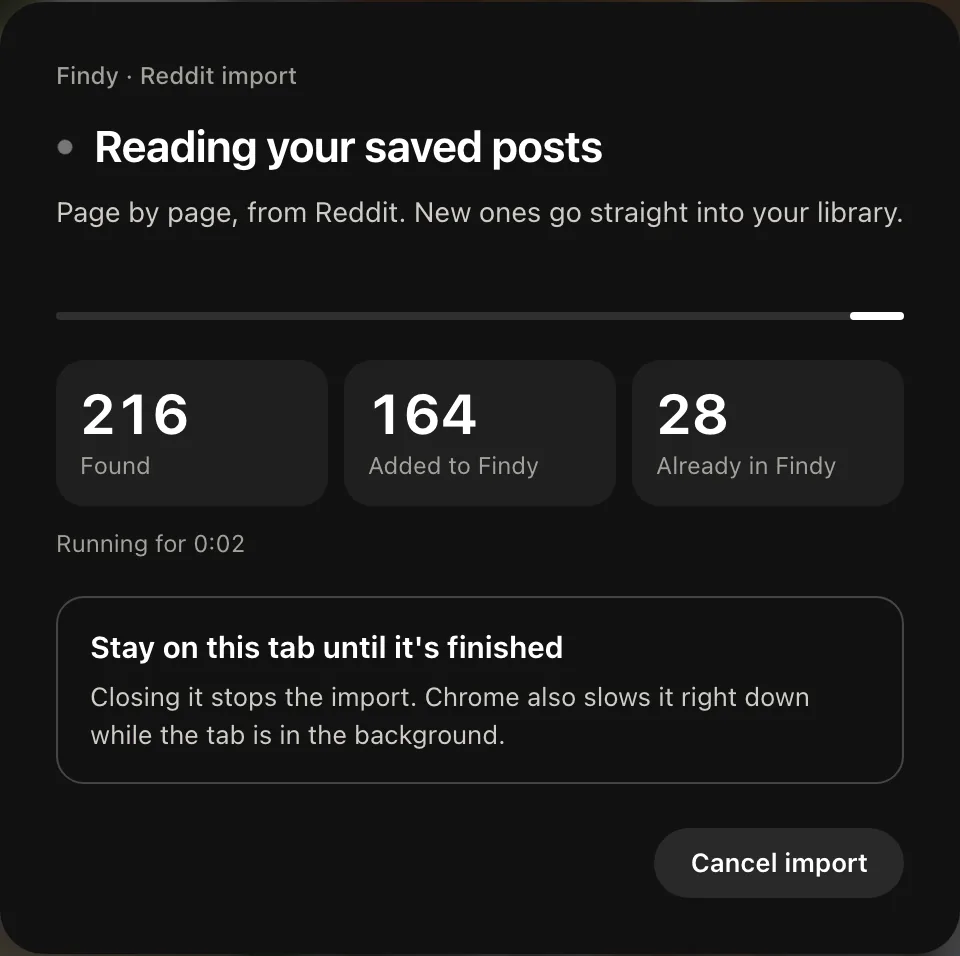
Leave the tab open while it pages through. A panel over the page shows what it is doing and the counts as they climb; it asks you to stay on the tab, because closing it stops the import. Progress also appears under Account → Import history.
Comments come too
Reddit lets you save comments as well as posts, and people often save the comment rather than the thread — it was the reply that had the answer in it. Those come across with their text, so a saved comment stays searchable by what it actually said.
Text posts survive better than links
A self-post's text is archived when you save it, so even if the thread is later deleted or the subreddit goes private, the content you cared about is still there and still searchable. Link posts keep their title and a cached thumbnail.
Once it is out
The reason to move a thousand saved posts anywhere is to be able to find one of them. Reddit's own search does not cover your saved items usefully, which is why they accumulate unread in the first place.
Next: Import your browser bookmarks · Export your Instagram saved posts · All manual pages