How to find a bookmark you only half remember
You remember the thing. You do not remember which app it was in, who posted it, or a single word of the caption. That is the normal case, and it is the case keyword search is worst at.
Why the exact words are never the ones you have
Saved posts are captioned by whoever made them, not by you. A recipe you think of as "that pasta reel" is captioned "weeknight dinner idea 🍝 save this one". A kitchen you think of as "the one with green tiles" is captioned "our renovation, one year on". Search those posts for "pasta" or "green tiles" and you get nothing, because those words were never written down.
Findy indexes more than the caption: the archived page text, the title, and the site it came from. For images it goes further — every picture you save is looked at and written down: the subjects, the setting, the colours, and any text legible in the image, quoted as it appears.
That last part matters more than it sounds. Most of what people save is a picture — a room, a recipe card, an outfit, a chart — carrying a caption that says "obsessed 😍" or nothing at all. To the app it came from, that save is an opaque rectangle. Once what it shows is written down, it is findable.
How to phrase a search
Describe what you would say to a friend. Short phrases beat single words, because a phrase carries context a keyword cannot.
- Say what it was. "wood cabin in norway", not "cabin".
- Say what it was for. "birthday present ideas for my dad" works better than "gift".
- Describe the look. "quiet interiors with warm wood" is a perfectly good query — it is how you remember images.
- Do not bother with keywords you are unsure of. A wrong keyword actively hurts; a vague description does not.
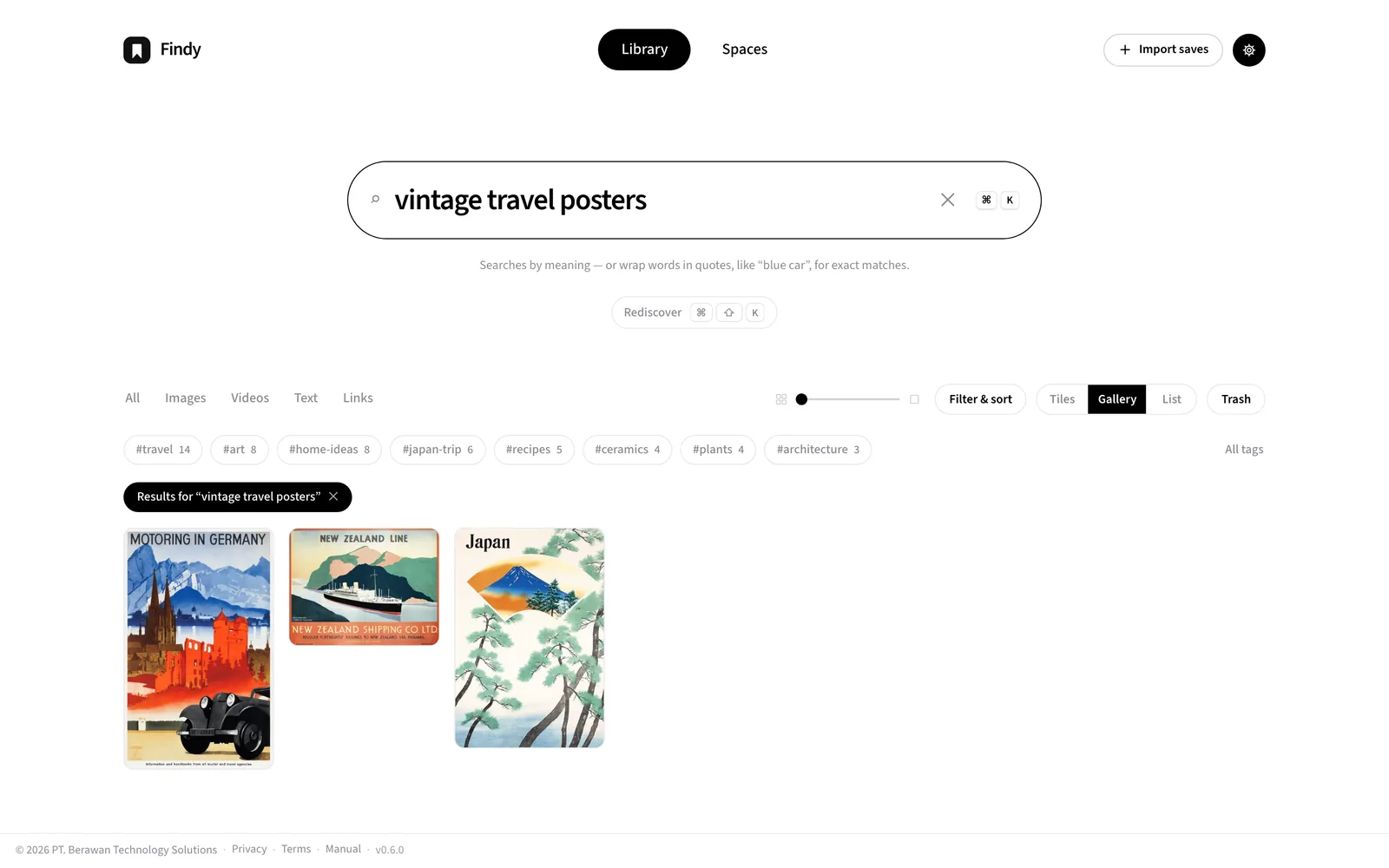
When you want exact matching instead
Sometimes you do know the words — a brand, a person, a domain. Wrap them in quotes and the search matches those exact words instead of meaning: "blue car" finds saves that literally say blue car. A small Keyword tag appears in the search box so you always know which kind of search is running.
Quoted phrases combine: "car" "garage" needs both, "car" OR "bike" takes either, and "car" NOT "toy" excludes. Without quotes, everything searches by meaning — that is the mode built for the words you have forgotten.
How results are ordered
Results run best match first and weaken as you scroll — the top of the list is the search's honest opinion. When a result does not visibly contain your words, a short line on the card says why it is there: in the archived page, in the image, or simply related by meaning.
Narrowing after the fact
Filters do the work that a more precise query would not: restrict to images, videos, text or links, or to a single platform, or to a tag. Searching broadly and then narrowing is usually faster than trying to write one perfect query.
When you do not know what you are looking for
A library is also worth browsing. Shuffle and Rediscover pull things back up at random, which is the only reliable way to rediscover something you forgot you had — you cannot search for a thing you cannot remember exists. Opening any save turns it into a deck on desktop: press → for another random save and ← to retrace your steps (on a phone, swipe). The full key list lives in Keyboard shortcuts.