Collections that fill themselves
Folders stop working the moment you stop maintaining them — and everybody stops maintaining them. A Space is a rule instead, so it keeps working after you have lost interest.
A rule, not a folder
You do not put things into a Space. You describe what belongs in it — a tag, a platform, a search, a content type — and every save that matches appears there. Including the ones you make next week, without you doing anything.
That is the whole difference. A folder is a decision you make once per item, forever. A rule is a decision you make once.
Making one
Open Spaces and choose New space.
Name it, then give it one or more rules: a tag, a platform, a content type, or a search phrase.
Save. Everything already in your library that matches is in it immediately.
Rules worth stealing
- One platform, one subject. Everything from Pinterest tagged kitchen.
- A project. A search phrase describing what you are working on — it collects as you research.
- A content type. Only videos, when you want something to watch rather than read.
- A person. Everything you have saved from one creator, across every app it came from.
The map
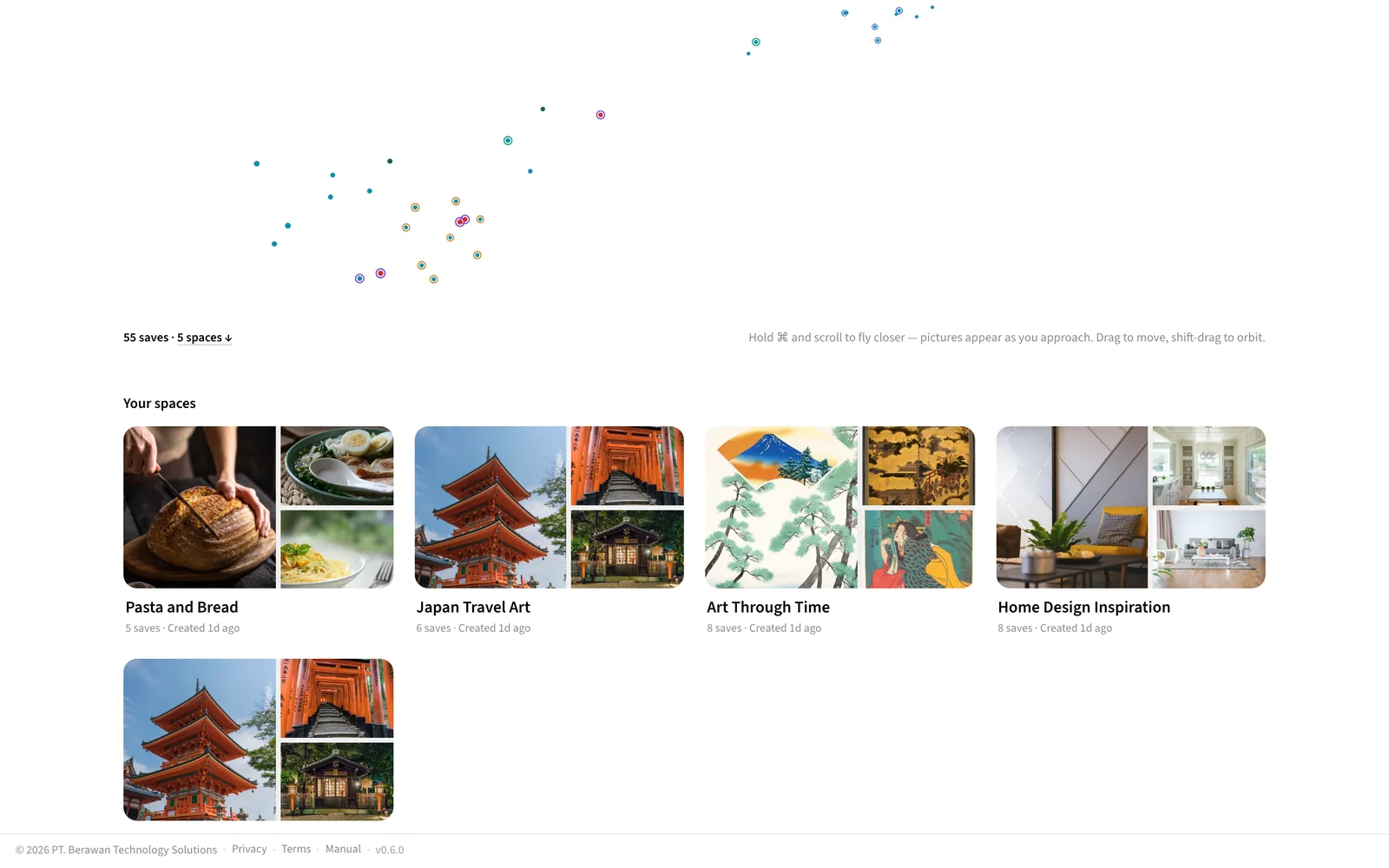
On a desktop, Spaces opens with a map of your whole library: every save placed by meaning, in three dimensions, so things that belong together sit together. The camera flies in as the page opens. Far away a save is a dot; hold ⌘ (Ctrl on Windows) and scroll to fly closer and its picture appears — plain scrolling moves the page, so your Spaces are always a scroll away. Drag to move, hold Shift and drag to look around it. A thin coloured ring marks the saves that belong to a Space, and resting on a Space in the list below lights up its saves on the map. Click a picture to open the save. On a phone, Spaces shows the list.
Reading a Space
Once a Space holds a few saves, Findy reads it for you and opens the Space with a briefing: a headline for what you are really gathering, one line on it, the themes it found, and one picture. That is all the briefing is — the rest is the saves themselves.
Below the briefing the saves are grouped by theme, each group headed by the theme and a line on what ties it together. The saves the briefing singled out lead their group, with a small label saying why. Between the groups sits Connections — the links Findy noticed across the Space that you might not have; open one to read it and jump to the saves behind it. Tap a theme in the briefing to see only that group; anything the themes could not place waits under Also in this space.
The briefing is written in the background and rewrites itself as the Space grows, so a brand-new Space shows its saves first and its briefing shortly after.
What a Space is not
It is not a copy, and it is not a move. A save can be in as many Spaces as match it, and removing it from a Space does not delete it from your library — it just stops matching that rule.