Use Findy on your phone
Findy is a web app, so there is nothing to download. It installs to your home screen from the browser and behaves like any other app once it is there.
Install it
-
Open findy.so/app in your phone's browser and sign in.
-
Android: use Account → Install Findy web app, or Chrome's own Install option. Choose Install rather than "Add to Home screen" — only the former installs it as an app, which is what makes it appear in the share sheet.
iPhone or iPad: in Safari, tap Share, then Add to Home Screen.
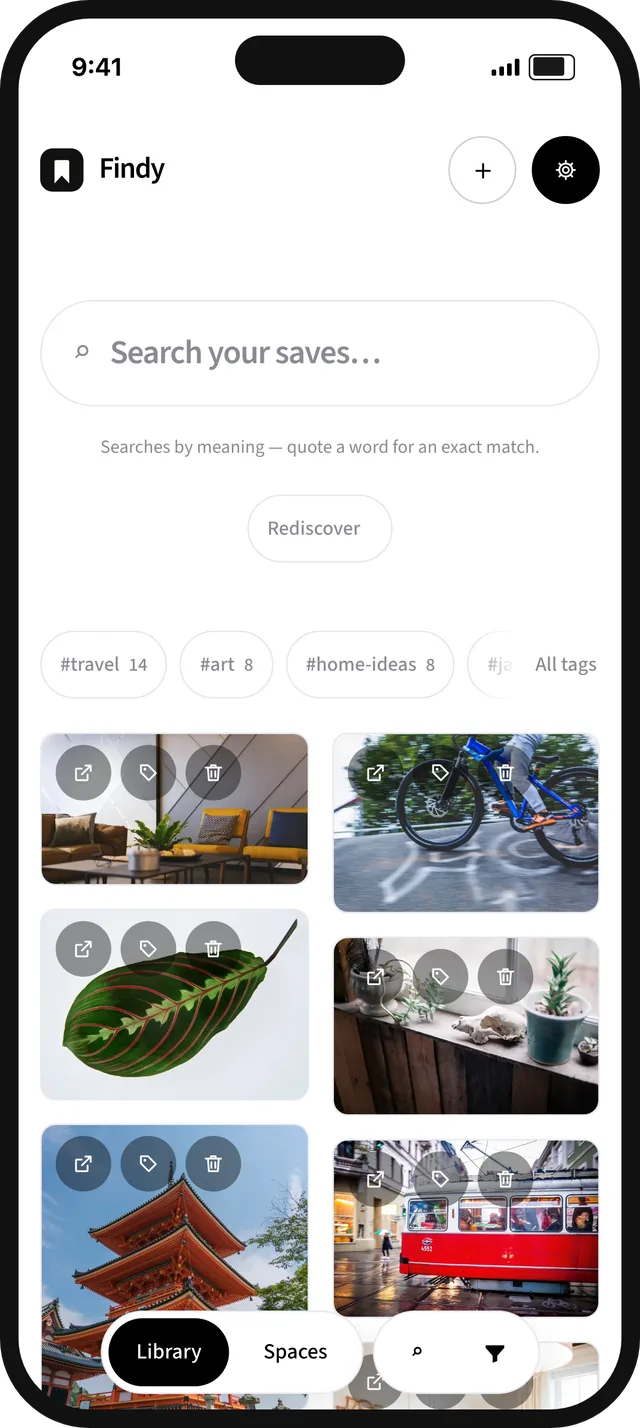
You get the whole library: the same search, the same Spaces, the same reading queue. Nothing is cut down for mobile.
Sharing links into it
On Android, once Findy is installed it appears in the system share sheet. Reading something in any app, tap Share, choose Findy, and it lands in your library.
On iOS, Safari does not let installed web apps join the share sheet. The practical workaround is a Shortcut: create one that takes a URL and opens findy.so/app/?shared_url= with it, and it will appear in the share sheet like any other action.
Reading on a phone
The reading queue is the part that works best on a phone: articles you parked at a desk, opened in a clean reader without the site's own furniture around them. Finish one and decide — keep it in the library, or clear it.
Next: Search by meaning · All manual pages